Everything in The Paycheck Plan, plus debt payoff and savings that aren't separate trackers. They plug into your paychecks, so the money is spoken for before you see it.
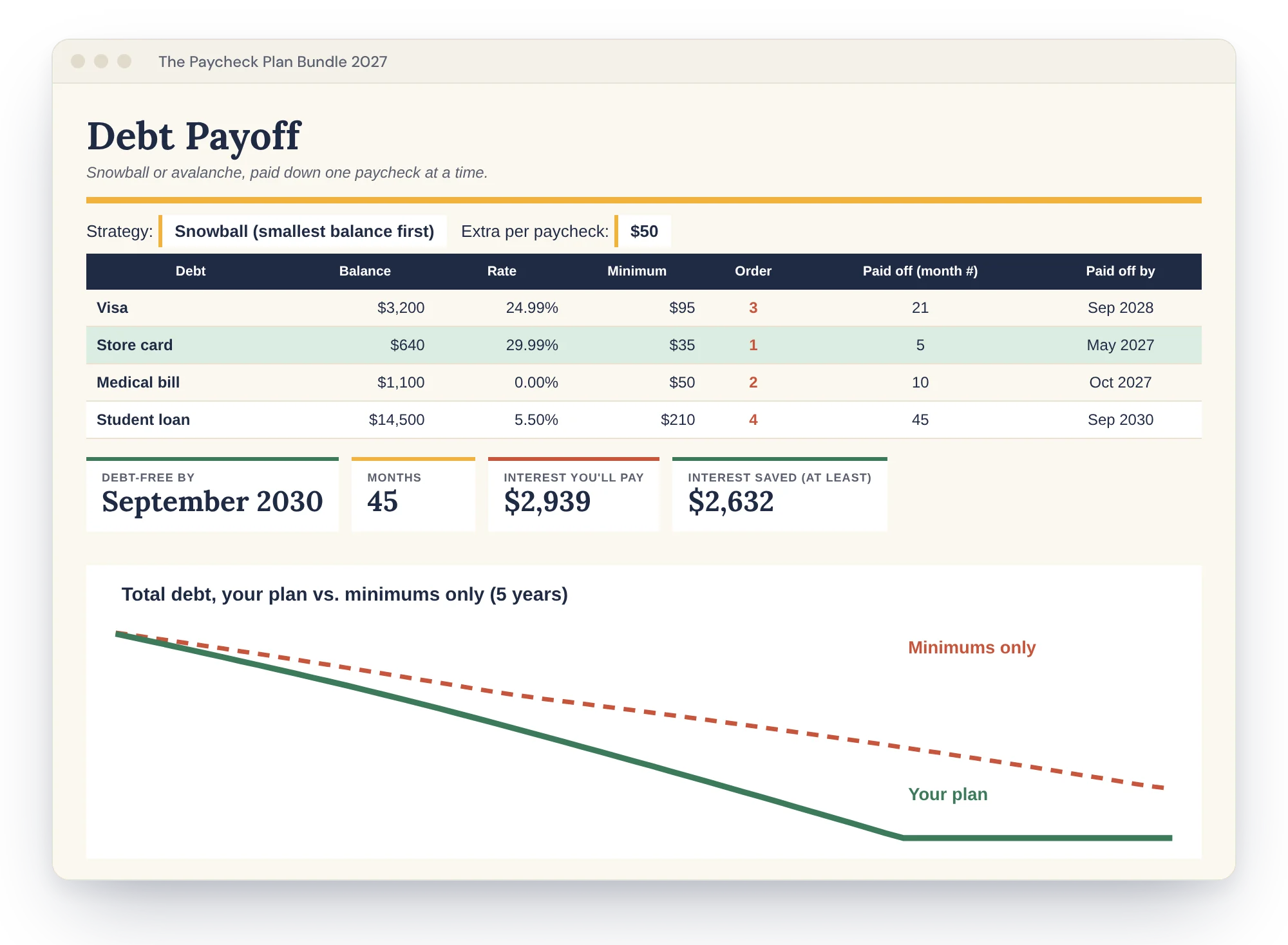
Add each debt's balance, rate and minimum. Choose snowball (smallest balance first, fast wins) or avalanche (highest rate first, least interest). Enter an extra amount per paycheck and it's set aside on every check in the Bill Shuffle. The green row is the debt you're attacking right now.
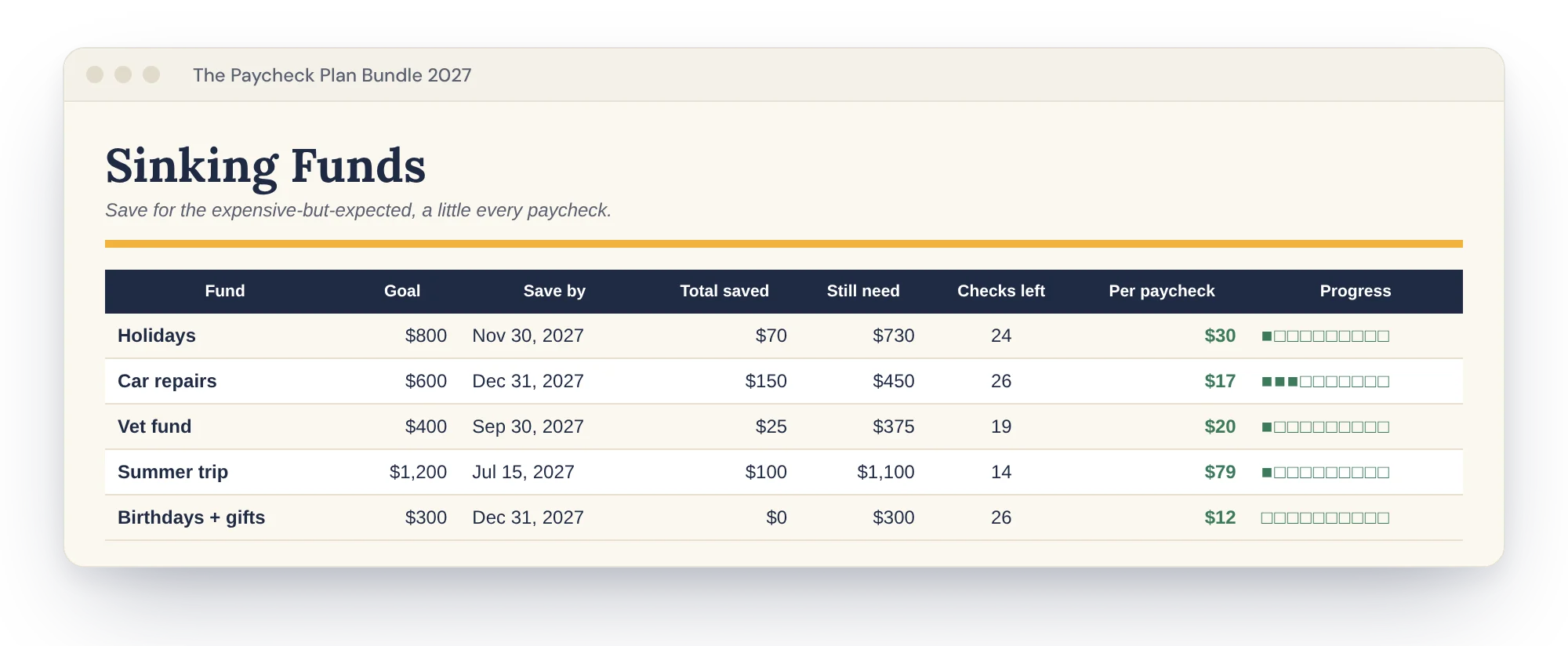
Holidays, car repairs, the vet, a summer trip. Give each a goal and a date. It counts the paychecks left and sets aside the right amount on each one until the date passes. Log deposits at the bottom of the tab.
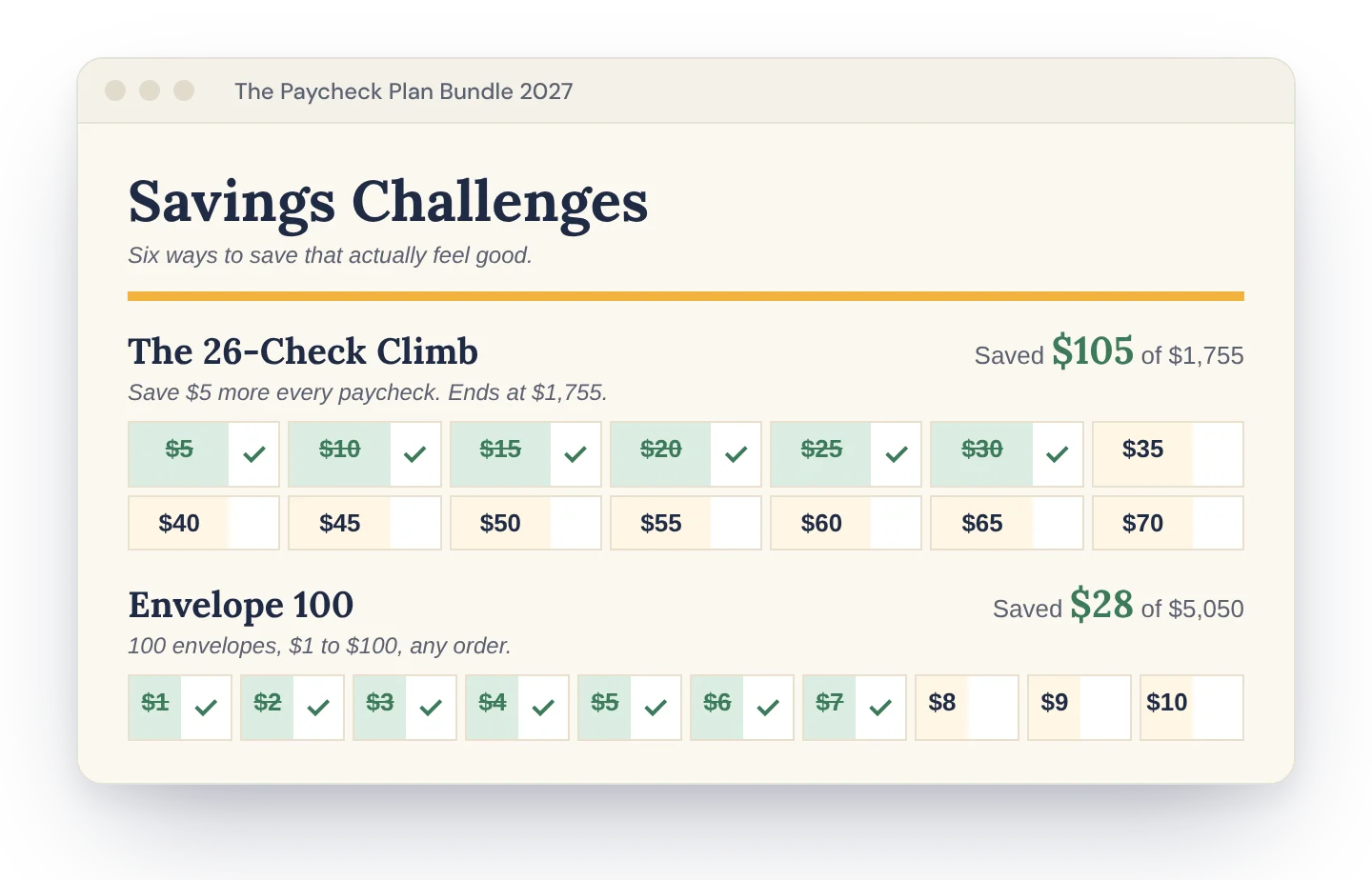
The 26-Check Climb, Envelope 100, the Third Paycheck Stash and three more. Pick a ✓ from the dropdown in any square to mark it done. Your total and progress bar update as you go.
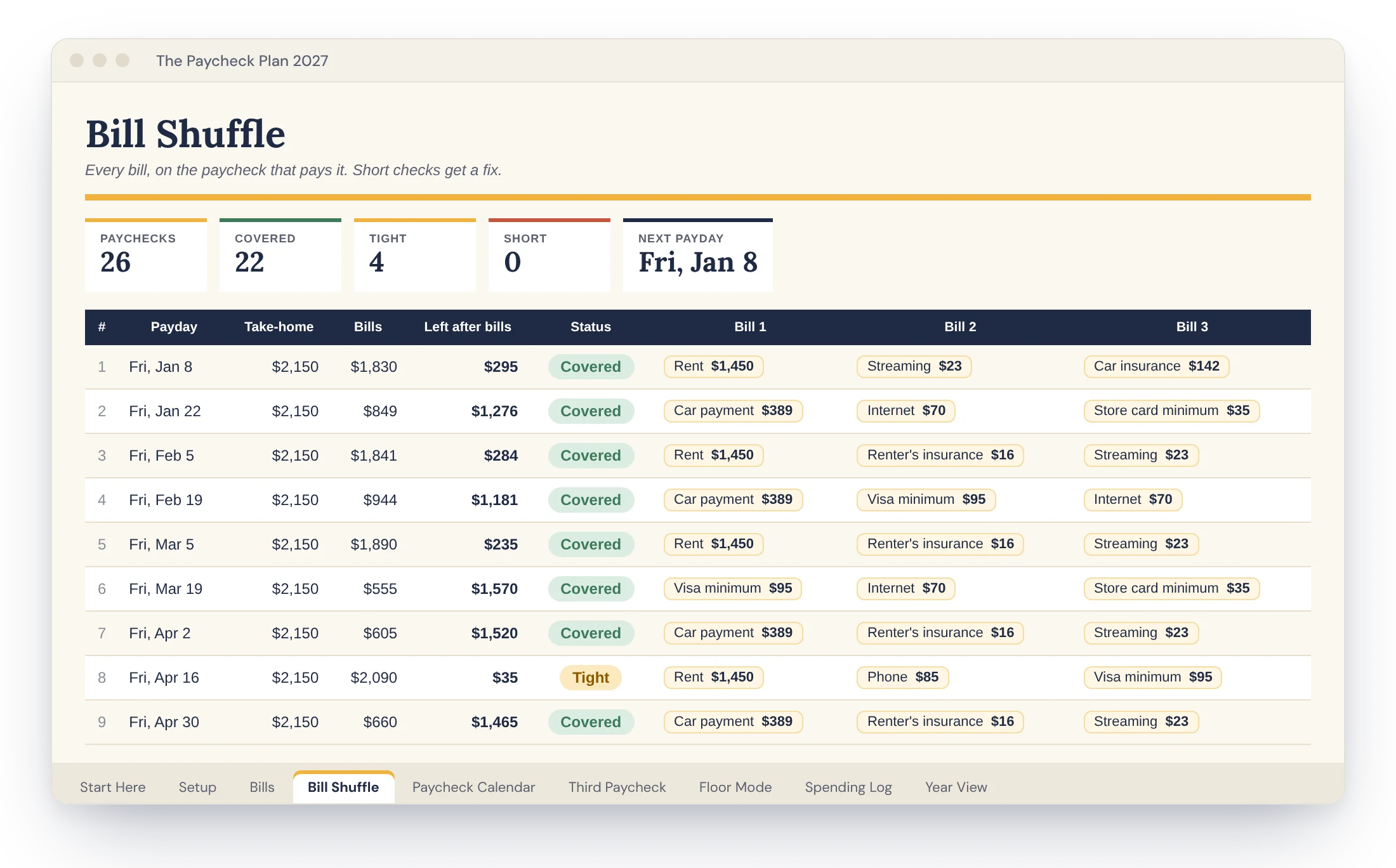
The Bill Shuffle, Paycheck Calendar, Third Paycheck Planner, Floor Mode, Spending Log and Year View are all here too. The Bundle tabs feed their per-paycheck set-asides straight into the Bill Shuffle, so one screen shows what's really left on every check.
One rule: list your debt minimums on the Bills tab too. Every paycheck plans for them, and Debt Payoff handles the extra.
The quick tour and color key. Come back any time.
Pay schedule, first payday, take-home, cushion, savings. Five answers build the year.
Every bill once, with due day, frequency, pay-early days and autopay notes.
Every paycheck with its bills, what's left, a status, and a fix for any short check.
All your paydays, bonus months marked. Type real amounts as checks arrive if they vary.
Split your extra paychecks into buckets before they land. Writes the plan out in plain words.
For tips, shifts or commission. Plan on your floor, then route the extra down a priority list.
Date, what, category, amount. Each purchase lands on the right paycheck automatically.
Take-home, bills, set-asides and spending by month, with a chart.
Snowball or avalanche, your debt-free date, interest you'll pay and interest you'll save.
Goals with a date. It works out what to set aside each paycheck and holds it on the Bill Shuffle.
Six challenges with tap-to-check grids, from the 26-Check Climb to Envelope 100.
| What's inside | The Paycheck Plan $12.99 | The Bundle $24 |
|---|---|---|
| Bill Shuffle with short-check fixes | ✓ | ✓ |
| 2027 Paycheck Calendar with bonus months | ✓ | ✓ |
| Third Paycheck Planner | ✓ | ✓ |
| Floor Mode for variable income | ✓ | ✓ |
| Spending Log and Year View | ✓ | ✓ |
| Sample version + PDF setup guide | ✓ | ✓ |
| Debt Payoff: snowball or avalanche, debt-free date | – | ✓ |
| Sinking Funds set aside per paycheck | – | ✓ |
| 6 Savings Challenges, including Envelope 100 | – | ✓ |
| Connected tabs | 9 | 12 |
| Get the Plan | Get the Bundle |
No. A free Google account works, and you can use it in the Google Sheets phone app. The Excel version is included too, for Excel 2019, 2021 or Microsoft 365.
Yes. Pick weekly, every two weeks, twice a month (1st and 15th, or 15th and last day) or monthly. Your calendar and paychecks rebuild to match.
It's treated as paid from 2026 money and left off, so January doesn't double count.
Use the due day it usually lands on. If it drifts, add a few pay-early days so it always lands on the earlier check.
Bills has room for 30, the Spending Log for 300. Category lists live on a hidden helper tab. Unprotect the sheet to customize (no password).
Yes. In Google Sheets, click Share and add them. In Excel, save it to OneDrive and share from there.
No. Pay once and keep it. When the 2028 edition is ready, you get it free.
Because it's a digital file, sales are final. If anything isn't working, email us and we'll fix it with you.
Pay once, keep it, and get the 2028 edition free when it's ready.