Home › The Paycheck Plan
Google Sheets + Excel · 2027 Edition

The Paycheck Plan

A budget built on paychecks, not months. Every bill lands on the check that pays it, short checks get flagged before payday, and your bonus months get a plan.

$12.99 one time · instant download
9 connected tabsWeekly, biweekly or monthly payFree 2028 update
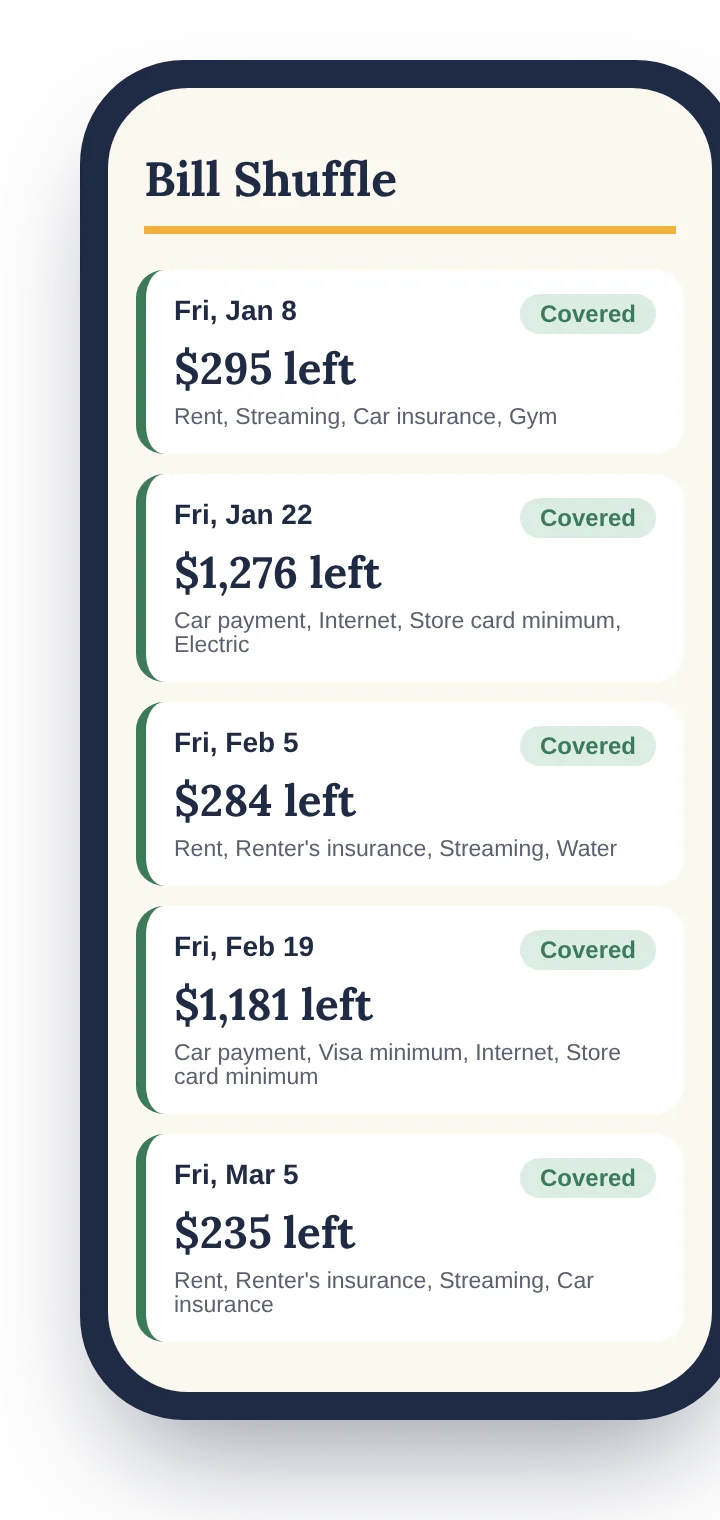
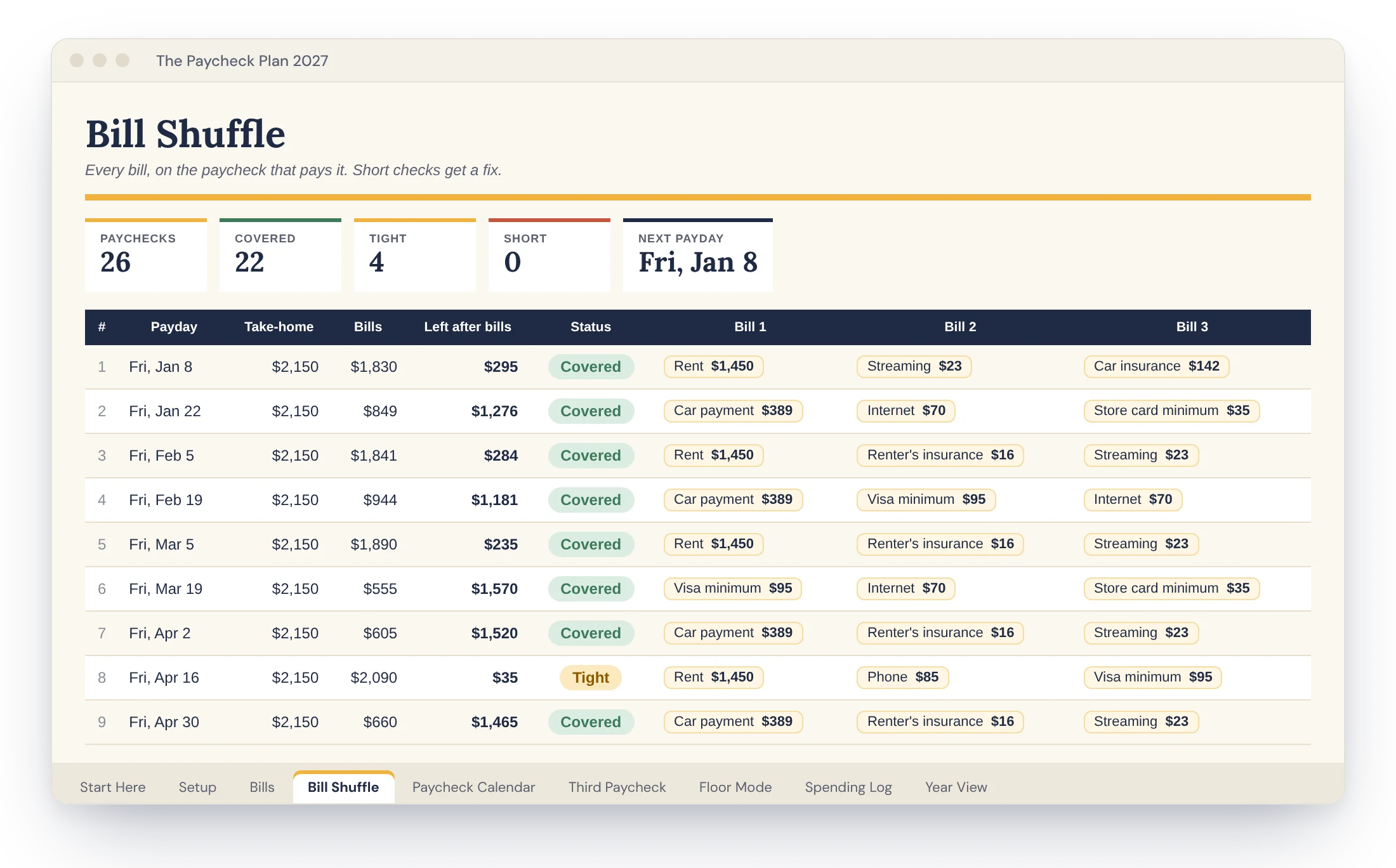
The Bill Shuffle tab: each paycheck with its bills, what's left and a status
What's inside

9 tabs that talk to each other.

Change one thing and everything downstream updates. You only ever type in the white cells.

Start Here

The quick tour and color key. Come back any time.

Setup

Pay schedule, first payday, take-home, cushion, savings. Five answers build the year.

Bills

Every bill once, with due day, frequency, pay-early days and autopay notes.

Bill Shuffle

Every paycheck with its bills, what's left, a status, and a fix for any short check.

Paycheck Calendar

All your paydays, bonus months marked. Type real amounts as checks arrive if they vary.

Third Paycheck

Split your extra paychecks into buckets before they land. Writes the plan out in plain words.

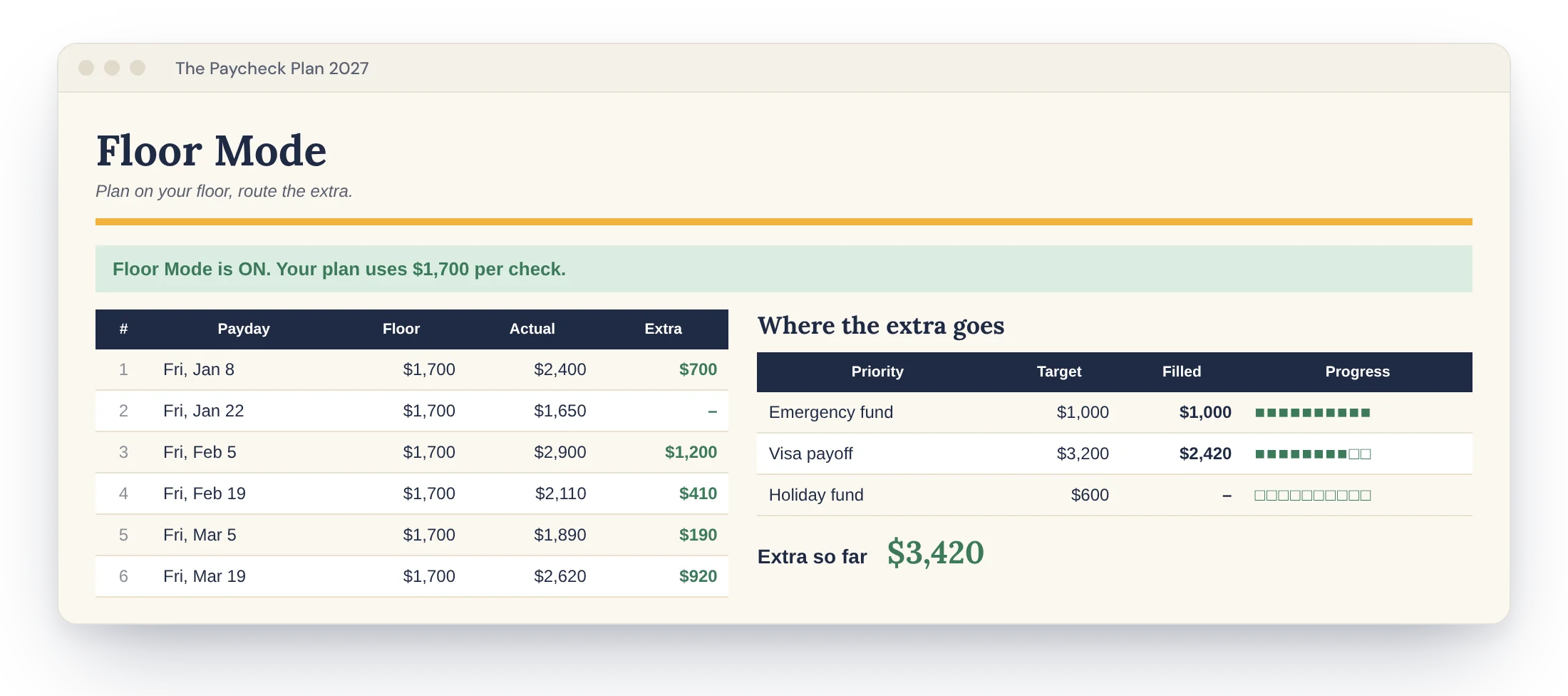
Floor Mode

For tips, shifts or commission. Plan on your floor, then route the extra down a priority list.

Spending Log

Date, what, category, amount. Each purchase lands on the right paycheck automatically.

Year View

Take-home, bills, set-asides and spending by month, with a chart.
The Bill Shuffle

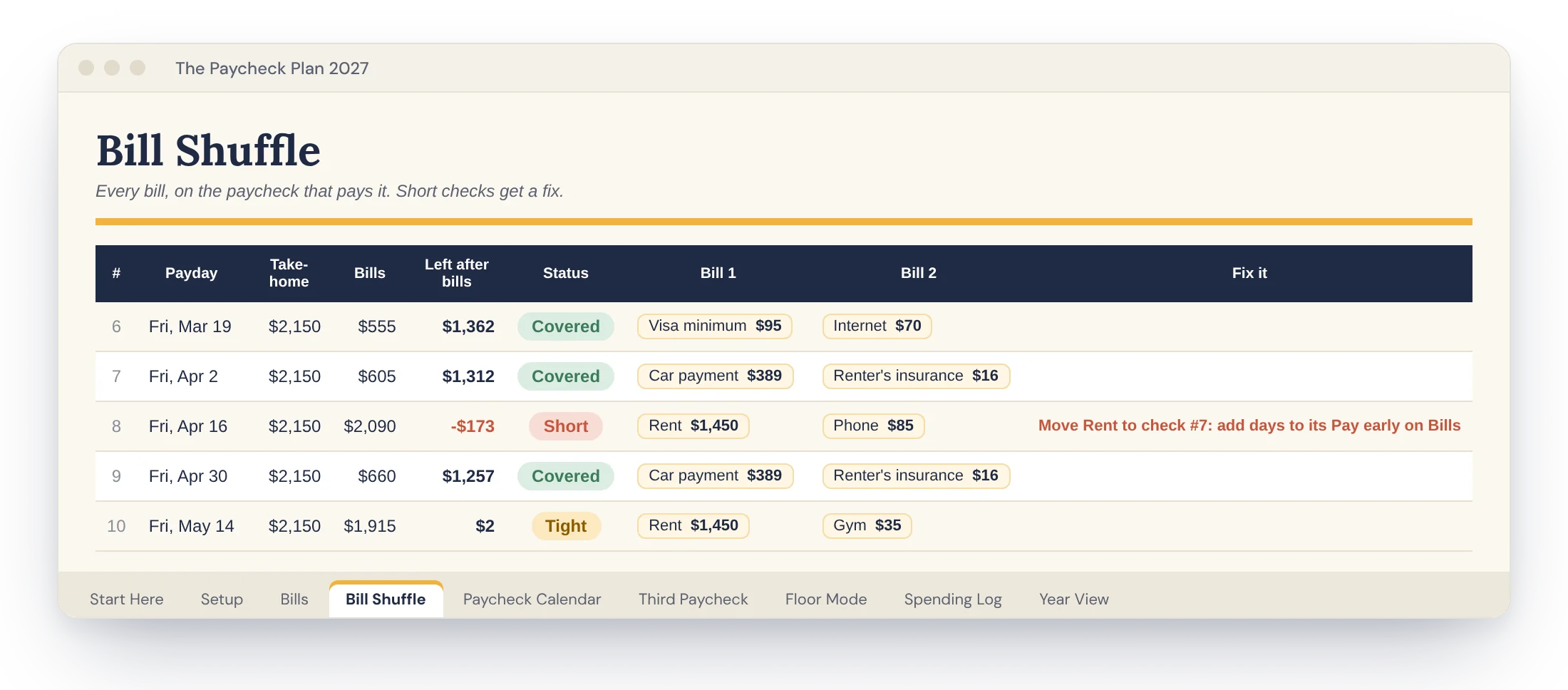
Short checks turn red before they happen.

Each bill drops onto the last paycheck that lands before it's due. Every check shows what's left and turns green, amber or red. A red check comes with the exact fix: which bill to move, and where.

A short paycheck flagged in red, with the bill to move
Paycheck Calendar

Your 3-paycheck months, found for you.

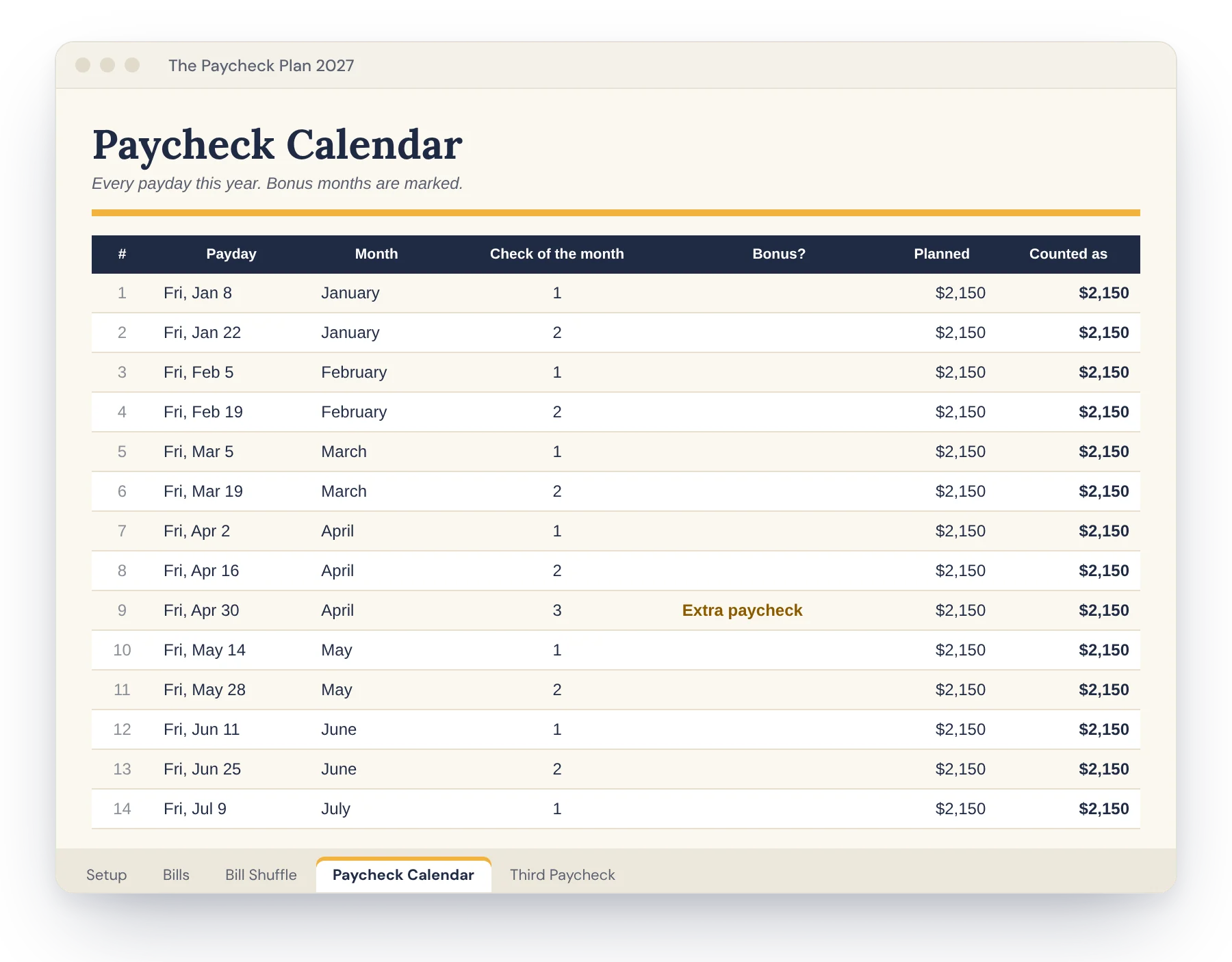
Paid every two weeks means 26 checks, not 24. The calendar marks your bonus months the day you set it up, so that money gets a plan instead of disappearing.

Paycheck Calendar tab with a bonus month highlighted
Third Paycheck Planner

Your extra paycheck already has a job.

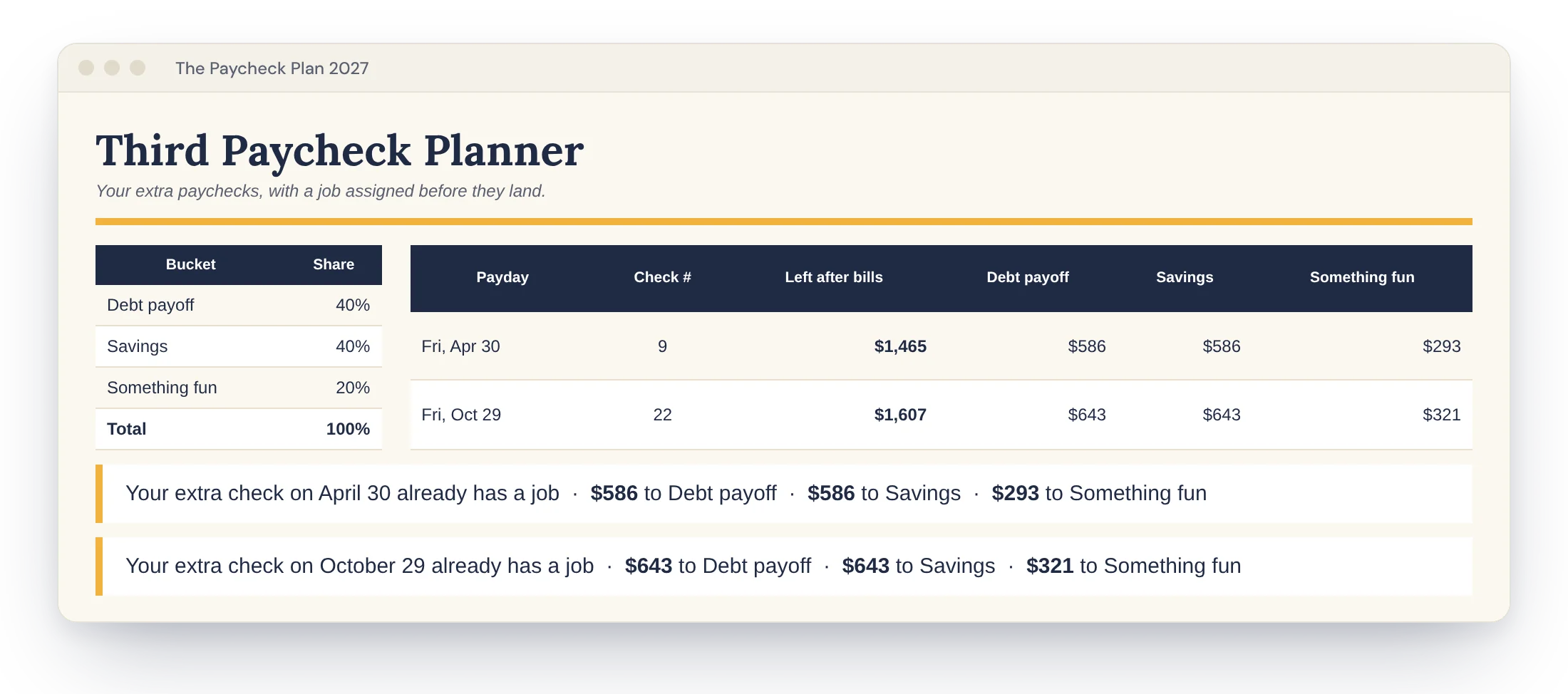
Pick your split once. Debt, savings, something fun. Every bonus check gets divided before it lands, and the plan is written out in plain words.

Third Paycheck Planner tab
Floor Mode

Tips? Shifts? Commission? Plan on your floor.

Budget on your lowest typical check. Everything above it flows down a priority list you choose, so good weeks actually move you forward.

Floor Mode tab for variable income, example values
Good to know

Works where you already are.

Google SheetsFree Google account. Works on any computer and in the Sheets phone app.
Microsoft ExcelExcel 2019, 2021 or Microsoft 365, on Windows or Mac.
Instant downloadA PDF with your copy links and setup guide. No physical item ships.
Yours to keepPay once. No subscription, no bank logins, plus the free 2028 update.
Plan or Bundle?

Want debt and savings wired in too?

The Bundle adds Debt Payoff, Sinking Funds and six Savings Challenges, all feeding the Bill Shuffle.

What's insideThe Paycheck Plan
$12.99
The Bundle
$24
Bill Shuffle with short-check fixes✓✓
2027 Paycheck Calendar with bonus months✓✓
Third Paycheck Planner✓✓
Floor Mode for variable income✓✓
Spending Log and Year View✓✓
Sample version + PDF setup guide✓✓
Debt Payoff: snowball or avalanche, debt-free date–✓
Sinking Funds set aside per paycheck–✓
6 Savings Challenges, including Envelope 100–✓
Connected tabs912
Get the PlanGet the Bundle
Questions

Good to know

Do I need Excel?

No. A free Google account works, and you can use it in the Google Sheets phone app. The Excel version is included too, for Excel 2019, 2021 or Microsoft 365.

I'm paid twice a month, or monthly. Will it work?

Yes. Pick weekly, every two weeks, twice a month (1st and 15th, or 15th and last day) or monthly. Your calendar and paychecks rebuild to match.

A bill is due before my first 2027 payday. Where did it go?

It's treated as paid from 2026 money and left off, so January doesn't double count.

My bill moves every month. Can I still use it?

Use the due day it usually lands on. If it drifts, add a few pay-early days so it always lands on the earlier check.

Can I add more rows or change categories?

Bills has room for 30, the Spending Log for 300. Category lists live on a hidden helper tab. Unprotect the sheet to customize (no password).

Can my partner use it too?

Yes. In Google Sheets, click Share and add them. In Excel, save it to OneDrive and share from there.

Is it a subscription?

No. Pay once and keep it. When the 2028 edition is ready, you get it free.

Can I get a refund?

Because it's a digital file, sales are final. If anything isn't working, email us and we'll fix it with you.

Set up in about 10 minutes.

Then five minutes every payday. Do it the day before a check lands and watch the first one arrive already planned.